After Chattanooga and Knoxville, the next city on our “Tour of Tennessee” itinerary for next spring is Nashville! Honey and I have only been to Music City once for a wedding and are super excited about heading back.
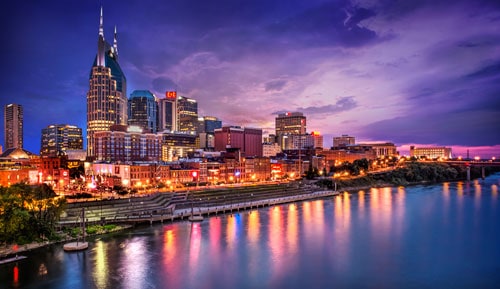
I’d love to hear your suggestions for…
- where to stay – specifically what part of town
- where to eat
- what to see / do
- thoughts on the Grand Ol Opry, line dancing and doing a studio tour with kids
Y’all are always full of the very best ideas!

Dixie Delights Tour of Tennessee
in collaboration with
Dollywood | Visit Nashville | Memphis Travel
Chattanooga
Part 1 – Read House, Ruby Falls, Rock City + More
Part 2 – Wild Cave Expedition, Tennessee Aquarium + More
Dollywood
Part 3 – Dollywood + Dixie Stampede
Part 4 – Dollywood’s DreamMore Resort
Knoxville
Part 5 – a quick morning in the city
Nashville
Part 6 – Hattie B’s, Grand Ole Opry, Country Music Hall of Fame
Part 7 – Hermitage Hotel, Wildhorse Saloon, Draper James
Memphis
Part 8 – Peabody, Beale Street, Graceland
Part 9 – BBQ, Civil Rights Museum, Sun Studio
DIXIE DELIGHTS DELIVERED
[madmimi id=246857]